Hourglass Outline Icons: Minimalism for Modern Projects
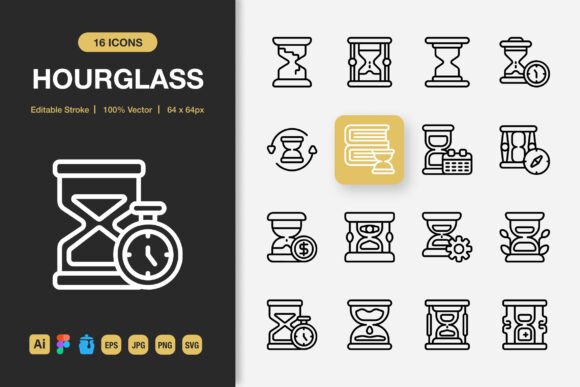
In a digital landscape saturated with visual noise, clarity is power. The Hourglass Outline Icons set represents a decisive move towards purposeful simplicity. This is not merely a collection of graphics; it is a design system built on the principle of reduction. Each icon, defined by its clean, hourglass-inspired outline, strips away unnecessary detail to communicate function and intent with immediate clarity. For creators who value efficiency and elegance, these icons are a foundational tool.
The Philosophy of Minimalist Icon Design
Why does minimalism resonate so strongly? A minimalist icon, like those in the Hourglass Outline Icons collection, acts as a visual anchor. It doesn’t compete with your content; it supports it. This approach aligns with how users interact with interfaces and media today—they scan, they seek, they need to understand quickly. An overly complex icon can create confusion, while a refined outline provides a instant, universal cue. This set embraces that role, offering symbols that are inherently versatile and audience-friendly.
Consider the practical benefit: these icons maintain their integrity across scales. Whether they’re tiny on a mobile app button or large on a conference poster, the crisp outlines remain legible. This scalability is a direct result of the thoughtful, minimalist construction. The design isn’t just aesthetically pleasing; it’s robust and adaptable to the chaotic realities of multi-platform projects.
Creative Applications and Project Transformation
Let’s move from philosophy to application. How can this specific set change your next project? Its utility spans from the digital to the physical, precisely because of its format variety—the included SVG, PNG, EPS, and Figma files are keys to this flexibility.
For a website or mobile app, these icons can establish a cohesive navigation system. Their uniform stroke weight and style create a silent rhythm that guides the user without shouting. A blogger can use them to break up long text sections visually, while a SaaS entrepreneur might employ them in a dashboard to denote different modules cleanly.
In print and editorial design, such as books, flyers, or posters, the high-quality JPG and EPS files ensure sharp reproduction. An educator creating an infographic on time management could use the hourglass motif itself to represent sections, while other icons from the set label data points. A small business owner designing a service menu flyer can use the icons to categorize offerings—a clean outline for consulting, another for support—making the information skimmable for potential customers.
Social media and branding assets benefit from the PNG transparency. Consistent icon use in post graphics, profile highlights, or banner ads builds subtle brand recognition. A freelancer can quickly assemble a cohesive set of post templates using these icons as repeated visual elements, saving time while maintaining a professional look.
Adapting the Set for Diverse Audiences and Goals
The true test of a good icon set is its adaptability. The Hourglass Outline Icons are customizable—the editable stroke in the source Adobe Illustrator and Figma files means they are not a rigid product, but a starting point.
A marketer aiming for a vibrant, energetic campaign might colorize the icons boldly and pair them with dynamic photography. A publisher producing a serious, academic ebook might keep them monochromatic and use them sparingly for chapter annotations. The same core icon becomes two different visual voices. This is where the “100 Customizable” feature shines; you can adjust scale, color, and even subtle details to match your project’s emotional tone without losing the structural clarity that makes the set effective.
For projects targeting a professional audience, such as corporate reports or technical apps, the icons’ lack of frivolous detail conveys seriousness and reliability. For a hobbyist community website or a creative portfolio, the same icons can be arranged in playful patterns or given pastel colors to feel inviting and imaginative. The icon’s role changes based on its context, yet its fundamental legibility remains constant.
Practical Guidance for Effective Implementation
To harness this versatility without creating visual chaos, some grounded principles help. First, establish consistency. Decide on a color palette or stroke modification early and apply it across all icons used in a single project. The Iconjar file inclusion aids this tremendously by keeping your selected icons organized and accessible.
Second, consider spacing and hierarchy. A minimalist icon needs breathing room. Don’t cluster them tightly; let each one serve its purpose as a discrete marker. In an infographic, use larger icons for main categories and smaller, consistent ones for sub-points.
Third, embrace the “drag and drop” ease but don’t neglect intentionality. The easy file structure is designed for workflow efficiency. However, always ask: “Does this icon clarify or decorate?” If it clarifies, use it. If it merely decorates, consider if that aligns with the minimalist strength of the set. This discipline ensures your final output is as clean and purposeful as the icons themselves.
The Complete Toolkit for Creative Efficiency
Beyond the icons themselves, the included file formats constitute a professional toolkit. The SVG files allow for infinite scaling on web projects without quality loss. The EPS Version 10 ensures compatibility with print design software. The Figma file enables quick collaboration and prototyping for UI/UX teams. Even the Readme.txt file is a nod to practical usability, providing clear instructions to start immediately.
This comprehensive approach means that whether you are a solo entrepreneur building a website in WordPress, a designer crafting an app prototype in Figma, or a marketer outsourcing a banner design to a printer, you have the correct file for the task. It removes the technical friction that often slows down creative execution, letting you focus on application and ideas.
The Hourglass Outline Icons set, therefore, is more than an asset pack. It is an invitation to design with restraint and purpose. It provides the visual vocabulary to make interfaces more intuitive, communications more direct, and brands more cohesive. By starting with these clean outlines, you grant yourself the freedom to adapt, color, and scale while maintaining a core of undeniable clarity—a foundation upon which countless effective projects can be built.