Infrastructure Icons: Building Coherent Visual Systems for Any Project
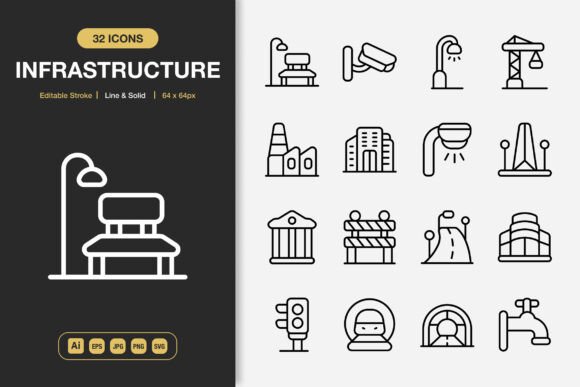
In the workflow of a modern creator, consistency is infrastructure. A coherent visual system underpins every successful digital product, presentation, or publication, serving as the foundational layer upon which clarity and communication are built. Infrastructure Icons is precisely this: a comprehensive set of high-quality icons engineered to serve as this foundational layer. It is not merely an asset pack but a visual toolkit designed for integration into the planning and execution phases of diverse projects.
Where Infrastructure Icons Fits in the Creative Process
The integration of a robust icon set typically occurs at a critical junction: the point where conceptual planning transitions into tangible execution. Whether you are wireframing a website, sketching an app interface, outlining an infographic, or designing a brand campaign, establishing the visual language early prevents fragmentation later. Introducing Infrastructure Icons at this stage provides a fixed reference point. Instead of scattering efforts across searching for disparate icons or commissioning custom designs piecemeal, you anchor your project with a unified library. This decision streamlines subsequent phases, from prototyping to final asset deployment.
Consider a common scenario: a small business owner developing a new website and matching promotional materials. Before diving into page layout or flyer design, they can audit the necessary visual cues—a location pin, a phone symbol, service offerings, social media links. By selecting and potentially customizing icons from this set upfront, they establish a consistent glyph system that will appear across the website, their printed flyers, and social media banners. This pre-production work eliminates the later hassle of mismatched styles or licensing issues, ensuring the brand presents a single, cohesive face to the world.
Integration with Tools and Platforms
A key practical consideration for any digital asset is its operational compatibility. The provided file formats of Infrastructure Icons—Adobe Illustrator source files, EPS, SVG, PNG, and JPG—map directly to standard workflows across industries. The SVG and editable Illustrator files allow designers to integrate the icons seamlessly into vector-based design software, perfect for scaling and adapting without quality loss. The PNG files with transparency are ready for immediate drag-and-drop use in web editors, presentation software like PowerPoint or Google Slides, or quick graphic assemblies for social media.
Practical Implementation in Common Workflows
For a mobile app developer, the process might involve using the SVG files during the UI design phase in Figma or Sketch, leveraging the editable stroke property to match exact stroke widths to the app’s design guidelines. Later, the same SVG assets can be handed off to the development team for implementation, ensuring the on-screen icons are pixel-perfect and consistent with the mockups.
An educator creating instructional materials or a book author needing visual diagrams can utilize the EPS or Illustrator files. They can modify colors to match their publication’s palette, combine icon elements to create custom illustrations, and output high-resolution JPGs or PNGs for embedding into documents or eBooks. The included Readme.txt file acts as a quick-reference guide, facilitating smooth onboarding for team members or collaborators who need to understand the asset structure.
The Role of Minimalist Design in Execution Efficiency
The minimalist design philosophy of Infrastructure Icons is a direct contributor to efficiency. Minimalism here isn’t merely an aesthetic; it’s a functional choice. Clean, uncluttered icons communicate quickly and reduce cognitive load for the end-user. From a workflow perspective, this simplicity also reduces friction for the creator. Icons without excessive detail are easier to customize, quicker to comprehend at small sizes, and more adaptable to different backgrounds and contexts.
This is particularly valuable in projects requiring rapid iteration or scalability. For example, a marketing team producing a series of infographics for a campaign can use the solid and line style variants to create visual hierarchy—using solid icons for primary metrics and line icons for secondary details. The uniformity across 100 icons means they don’t need to reinvent the style for each new data point; they maintain a rigorous consistency that makes the entire series feel professionally produced.
Ensuring Quality Control and Long-Term Usability
Investing in a high-quality, customizable icon set is a decision that pays dividends beyond the immediate project. It contributes to an organized digital asset library. Instead of a scattered collection of icons from various sources with incompatible licenses or styles, Infrastructure Icons provides a single, reliable source. The high-quality vectors ensure that even if project requirements change—such as needing a much larger print banner—the assets scale flawlessly without requiring rework or re-purchase.
For freelancers and agencies, this becomes part of their internal infrastructure. They can standardize certain client deliverables around this toolkit, reducing the time spent on asset sourcing and increasing their ability to deliver polished work consistently. The editable nature also allows for long-term brand alignment; if a client’s brand guidelines evolve, the core icons can be adjusted in stroke weight or color while retaining their foundational structure, preserving the investment in the original asset.
Preparation and Organization Tips
To integrate such a set effectively into your routine, a small amount of preparation is beneficial. Upon acquiring the library, a practical first step is to briefly review the full set within the Illustrator source file or the SVG collection. Create a mental map or even a simple internal index of which icons relate to your common project themes—finance, technology, logistics, communication, etc. This upfront familiarization saves significant time later when you need to locate a specific symbol.
For teams, consider storing the master Illustrator or SVG files in a shared, cloud-based design resource folder. Provide a short guide referencing the Readme.txt and explaining the available styles (line and solid). This ensures that anyone in the organization, from a graphic designer to a content writer putting together a quick internal presentation, can access and use the icons correctly, maintaining quality control across all outputs.
Conclusion: A Tool for Coherent Creation
Ultimately, Infrastructure Icons transcends being just a collection of graphics. It is a tool for implementing visual coherence. It fits into the workflow not as a final decorative step, but as a strategic decision made during the planning and system-building phase of a project. Its value is realized through the elimination of visual discord, the acceleration of production, and the elevation of output quality across a startling range of mediums—from digital apps and websites to physical prints and publications. By providing the files, the styles, and the flexibility needed for modern creation, it allows professionals, entrepreneurs, and creators to focus on their core message, building it upon a solid, reliable, and aesthetically unified visual foundation.