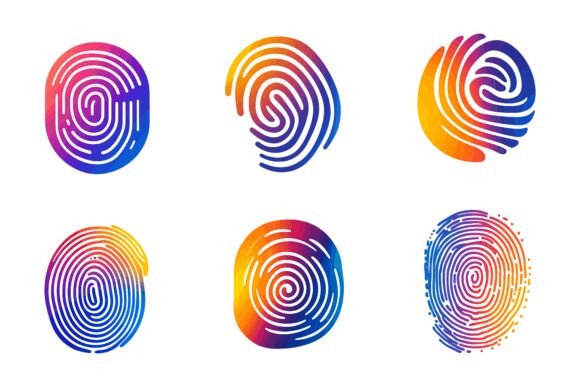
Fingerprint: A Unique Identity in Illustration
In the digital design world, the word Fingerprint often refers to that distinct, recognizable style that sets your work apart. When we talk about our Fingerprint AI EPS collections, we’re talking about giving you the tools to leave your own creative mark. This isn’t just another set of generic icons; it’s a curated library of vector illustrations built for adaptability and precision, designed to be the foundation upon which you build your unique visual identity.
Where Fingerprint Makes Its Mark
Imagine you’re launching a new app for a fintech startup. You need symbols for security, data flow, and user transactions that feel modern yet trustworthy. A generic download might get you started, but it won’t carry the specific tone your brand requires. With the Fingerprint collection, you begin with professionally crafted, detail-consistent illustrations. Then, because they are fully editable AI EPS files, you modify the stroke weights, adjust the color palette to match your brand’s deep blues and greens, and perhaps combine elements to create a unique symbol for "encrypted savings." The end result carries a coherent, custom feel that a pre-made PNG could never achieve.
The Designer’s Daily Grind, Simplified
For the freelance graphic designer juggling multiple clients, time is the most precious resource. You’re tasked with creating a brochure for a health clinic, a webinar series infographic for a marketing firm, and icon sets for a local bakery’s app. Opening a Fingerprint file, you find a neatly organized layer structure. You can instantly isolate the "medical cross" element for the clinic, use the "data chart" modules for the infographic, and adapt the "food and utensil" icons for the bakery—all from the same master file. The perfection in details and consistency across the set means you don’t have to waste hours fixing awkward line joins or mismatched scales. The consistency transfers your professional standard across all your disparate projects.
Beyond the Screen: The Print and Web Bridge
A common pain point for creatives is asset fragmentation. You have illustrations that look great on a website but blur or lose detail when printed on a large conference banner. The Fingerprint collection, being vector-based AI EPS files, solves this inherently. The same file that provides a crisp, scalable JPG for your website footer is inherently suitable for print at any size. An interior designer might use these illustrations to create a stylish pattern for a client’s boutique packaging (print) and then adapt the same pattern into a simpler, flat-color version for the boutique’s mobile app icon (web & apps). The asset bridges both worlds seamlessly.
Who Finds Fingerprint Most Useful?
The applications spread across industries and roles. The marketing manager at a mid-sized company, who isn’t a design expert but needs to quickly assemble a professional-looking internal presentation, benefits from the easy color change and modification. The startup founder with a tight budget can use these as a high-quality foundational asset library, avoiding costly custom illustration work at the early stages. Even educators creating online course materials can pull from the symbol sets to build clear, engaging infographics about complex topics. The key benefit varies by user: for the pro, it’s time-saving and foundational quality; for the non-designer, it’s empowerment and accessibility.
Practical Considerations Before You Start
While the flexibility is a major strength, it’s wise to consider your own workflow. These are AI EPS files, designed for use in Adobe Illustrator. They are also compatible with other vector software on both Mac and Windows, but their full, layer-by-layer editability is best harnessed within that ecosystem. If your primary tool is a raster-based program like Photoshop, you’ll still have the high-quality JPGs for immediate use, but you’ll lose the deep editing power. Also, think about your project’s scale. If you need one or two icons for a single task, a smaller, more specialized set might suffice. But if you’re building a brand system or a resource library for ongoing work, the breadth and organization of a collection like Fingerprint become incredibly valuable.
The Potential Limitations as Strengths
A collection like this offers a cohesive style. That’s a strength for building a consistent look, but it could be a limitation if you need wildly disparate artistic styles—say, a gritty charcoal sketch look alongside a neon flat design. Fingerprint provides a sophisticated, versatile baseline style. Your creative input modifies it, but it won’t transform into a completely different art genre. This isn’t a drawback; it’s a design decision. It ensures that whatever you create from these assets holds a level of professional polish and internal harmony, preventing a disjointed final product.
Real-World Scenarios and Observations
Let’s look at a few more concrete scenarios. A UI/UX designer is prototyping a new fitness tracking application. They use the human figure and activity icons from the set, quickly changing the colors to a vibrant, energetic palette. Because the icon anatomy is consistent, the user experience feels intuitive and unified. A non-profit organization is preparing its annual report. They use the data-driven illustrations and symbols to create infographics that make donation impact clear and visually compelling, all without hiring an external illustrator. In both cases, the users observe that the initial time investment in learning the file structure pays off massively in subsequent iterations and adaptations.
The file includes both AI EPS and JPG formats because real-world use is messy. Sometimes you need to drop something into a Word document quickly (JPG). Other times, you need to deconstruct an icon to integrate it into a complex logo (AI EPS). Having both bridges the gap between urgency and depth. The fact that they are designed for both Mac and Windows users removes a common friction point in team environments where operating systems differ.
Your Creative Fingerprint Starts Here
Ultimately, these AI EPS illustration sets are special because they shift the relationship from using a finished product to collaborating with a foundational resource. They don’t just give you an illustration; they give you the blueprint for an illustration that can become yours. You edit it, change colors, and modify the icon so easily according to your needs because the goal is for you to imprint your own creative fingerprint on the work. Whether for print, web, symbols, apps, or infographics, the collection is a catalyst for professional, adaptable visual communication. So what are you waiting for? The tools to build a distinct visual identity are ready.